Stop building reports and start making decisions. When the cost of zirconia or metal goes up, you shouldn't have to spend your weekend typing in new prices for every single clinic. If you manually change every price, mistakes will happen.
With Price Segments, you can organize your clinics into groups. When your costs change, you can update everyone in that group at the same time. You stay in control of your money without the extra work.
First, make a "folder" for your prices.
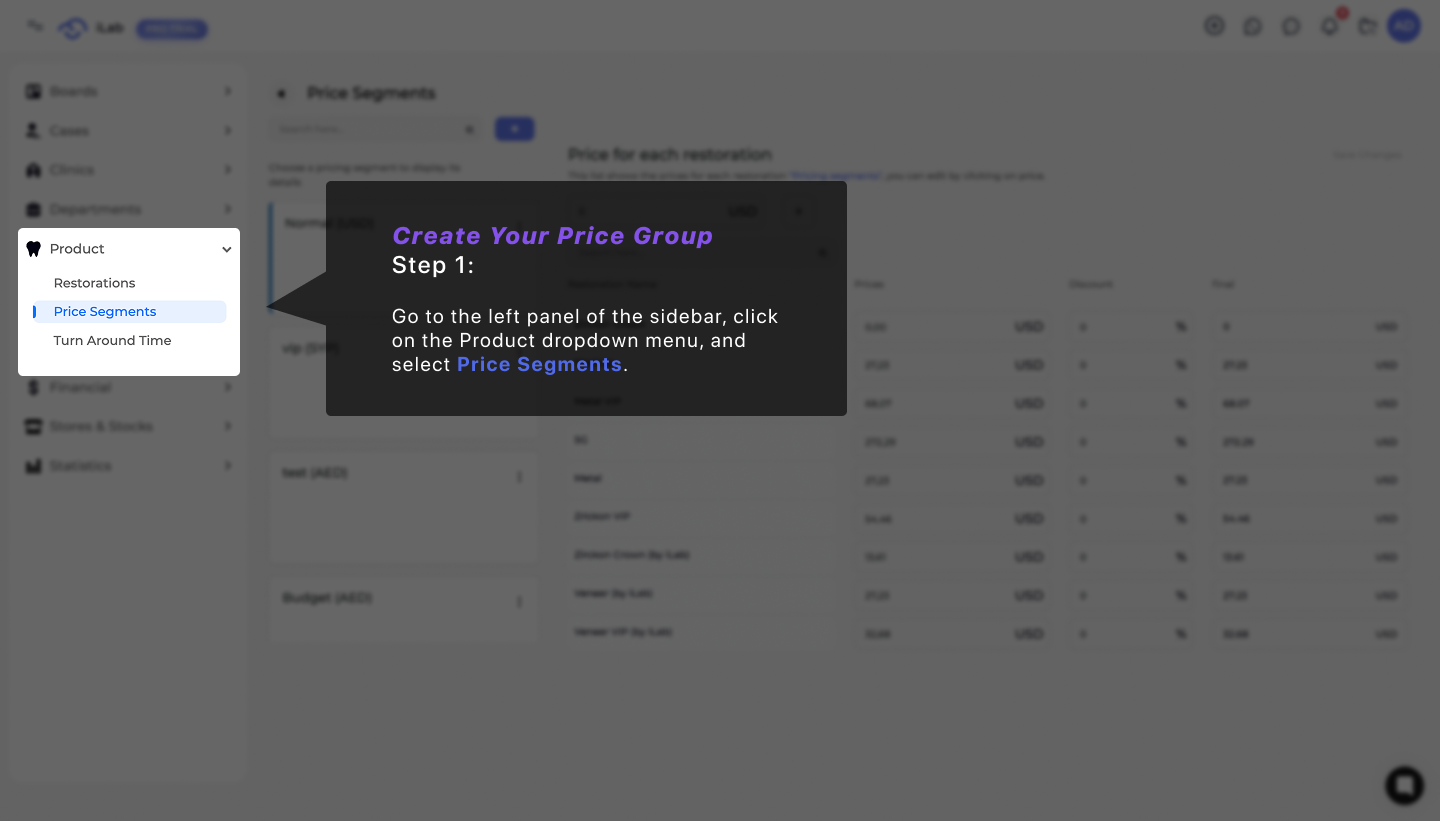
Go to Production > Price Segments.
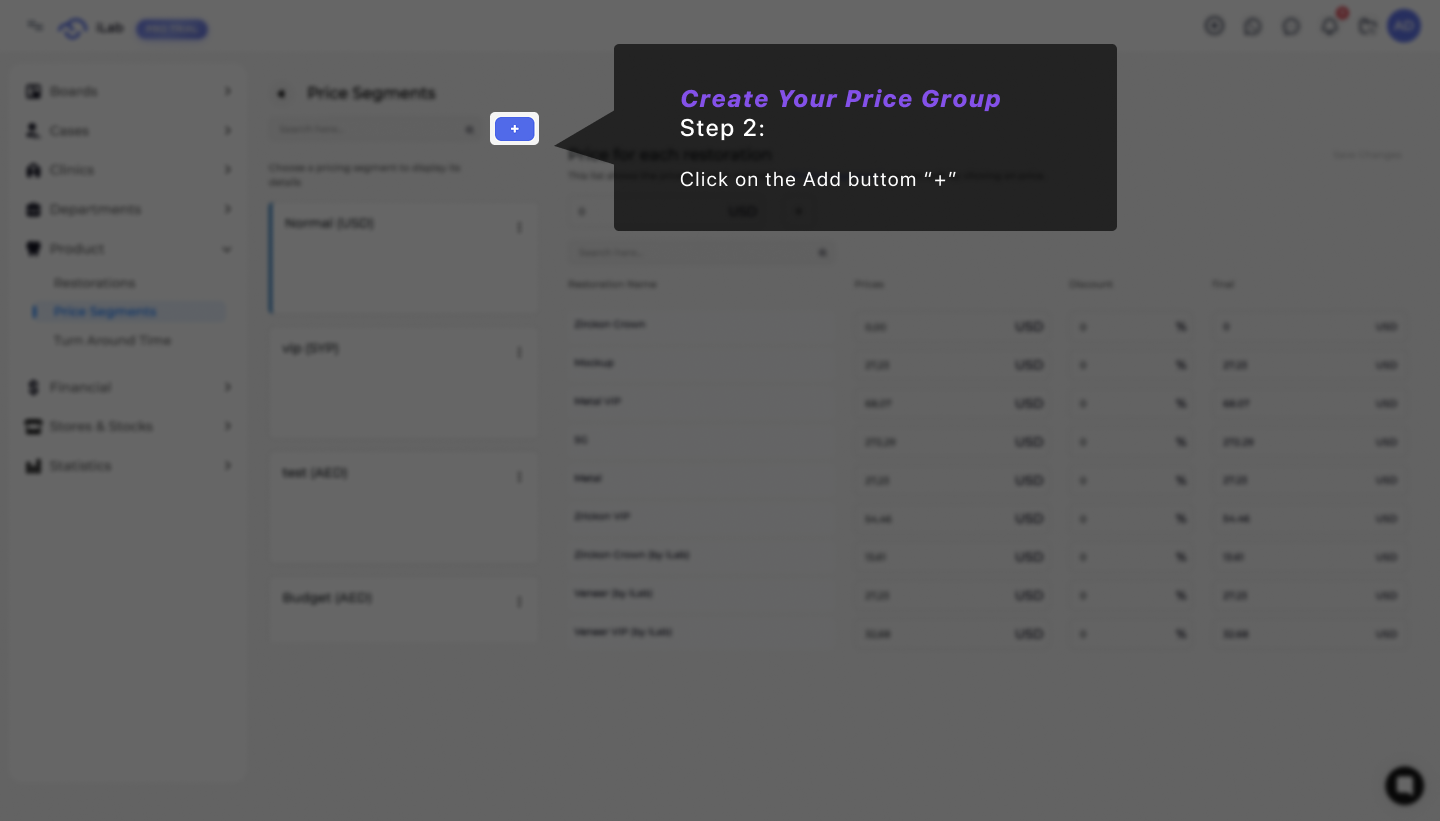
Click Add New.
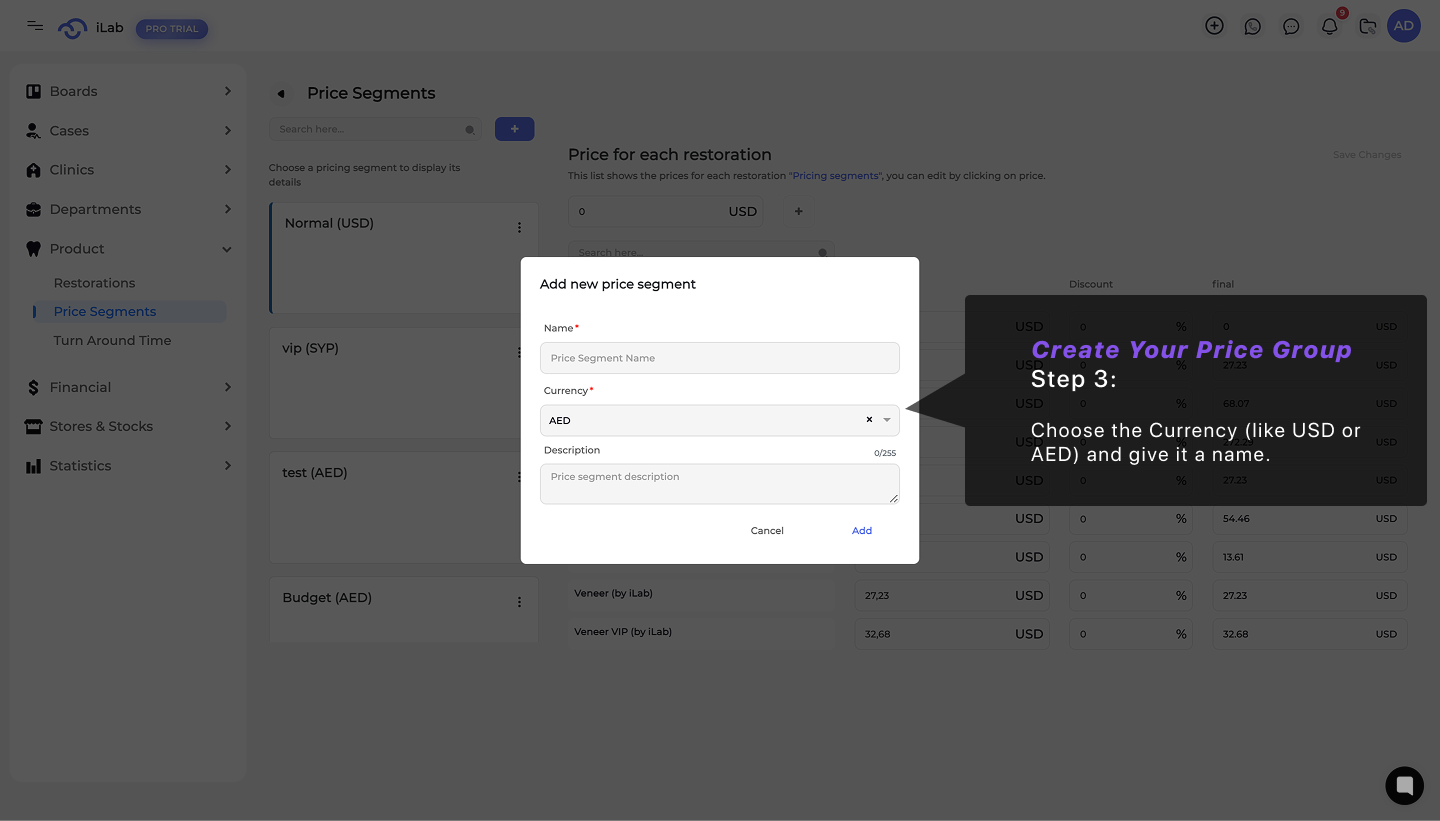
Choose the Currency (like USD or AED) and give it a name like "VIP Partner Rates" or "Standard Export."
Open your Price Segment list.
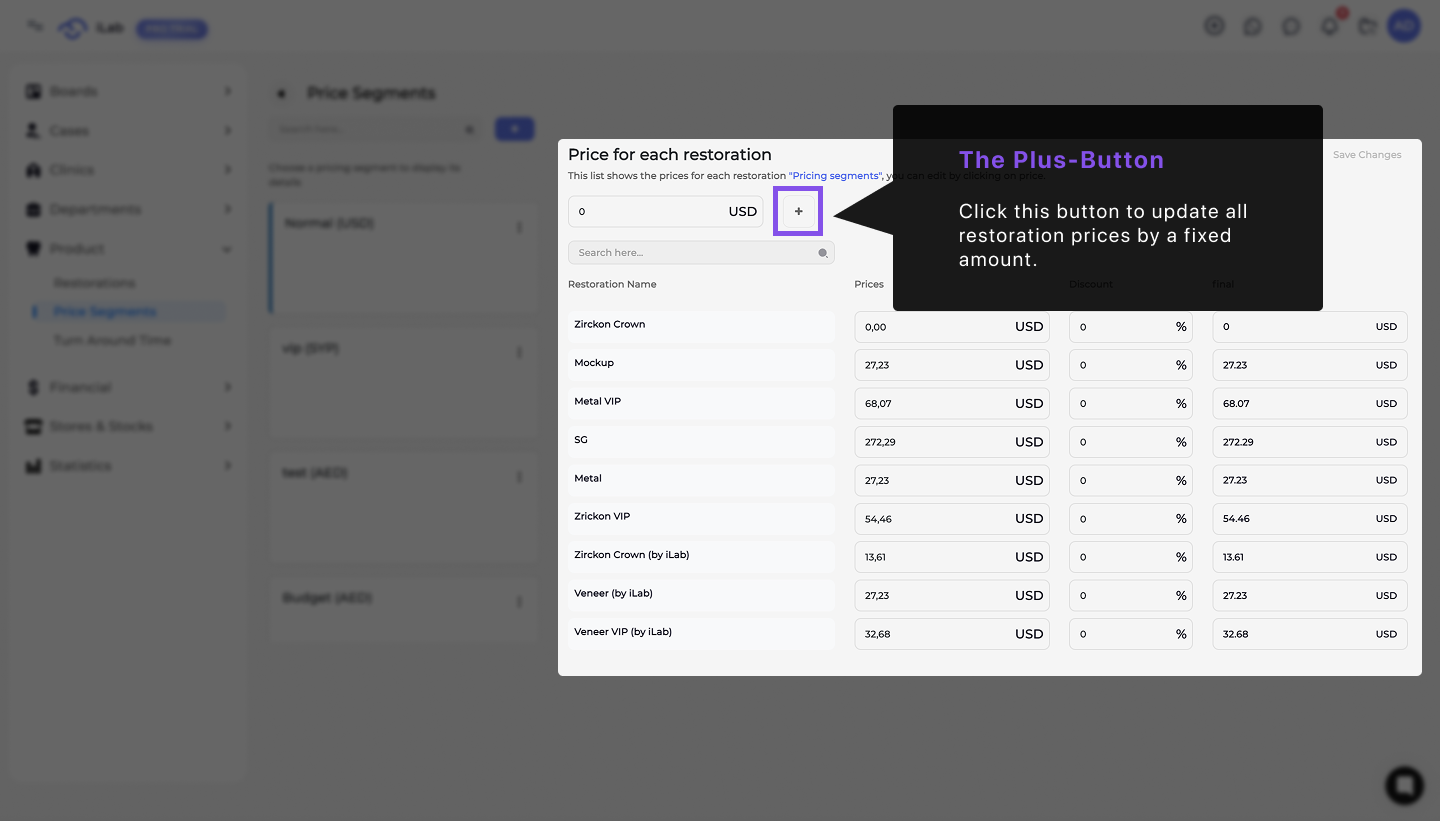
Click the "+" button at the top of the table.
Type in a percentage (like 5%) or a fixed amount.
The Result: Every restoration price in that group updates instantly. You’ve protected your margins in seconds./
Go to the Clinics page.
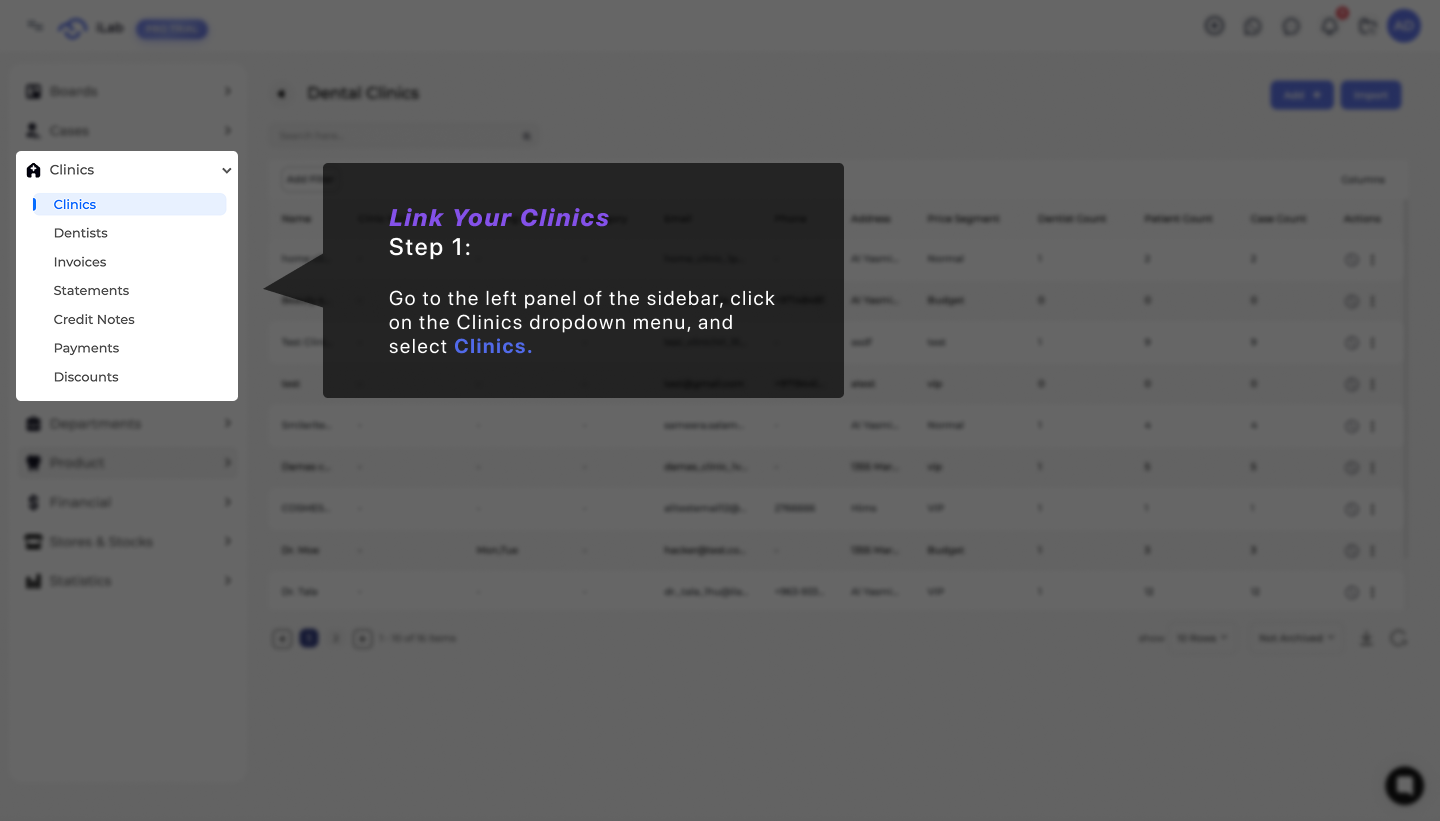
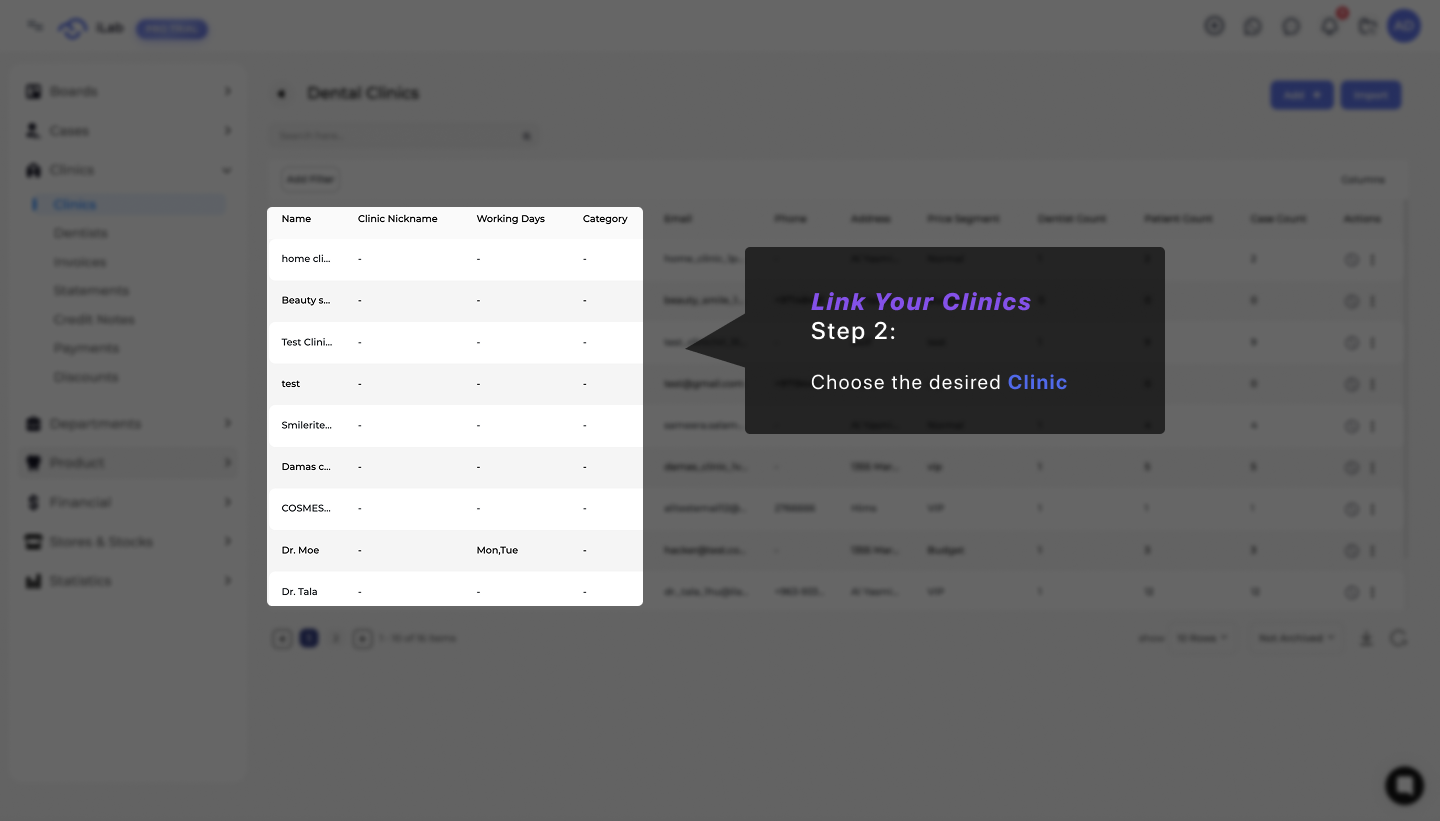
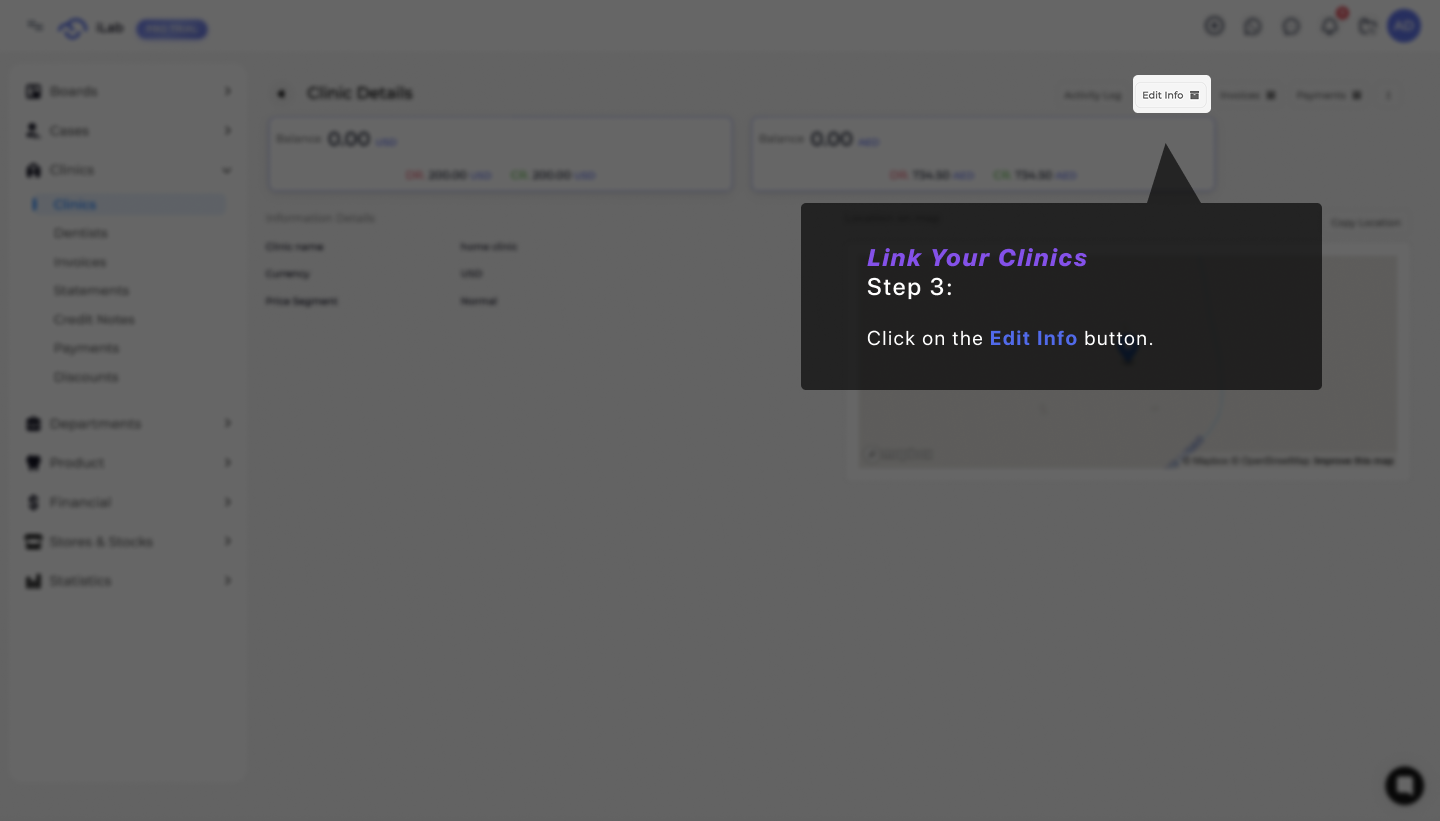
Find your clinic and click the Edit icon.
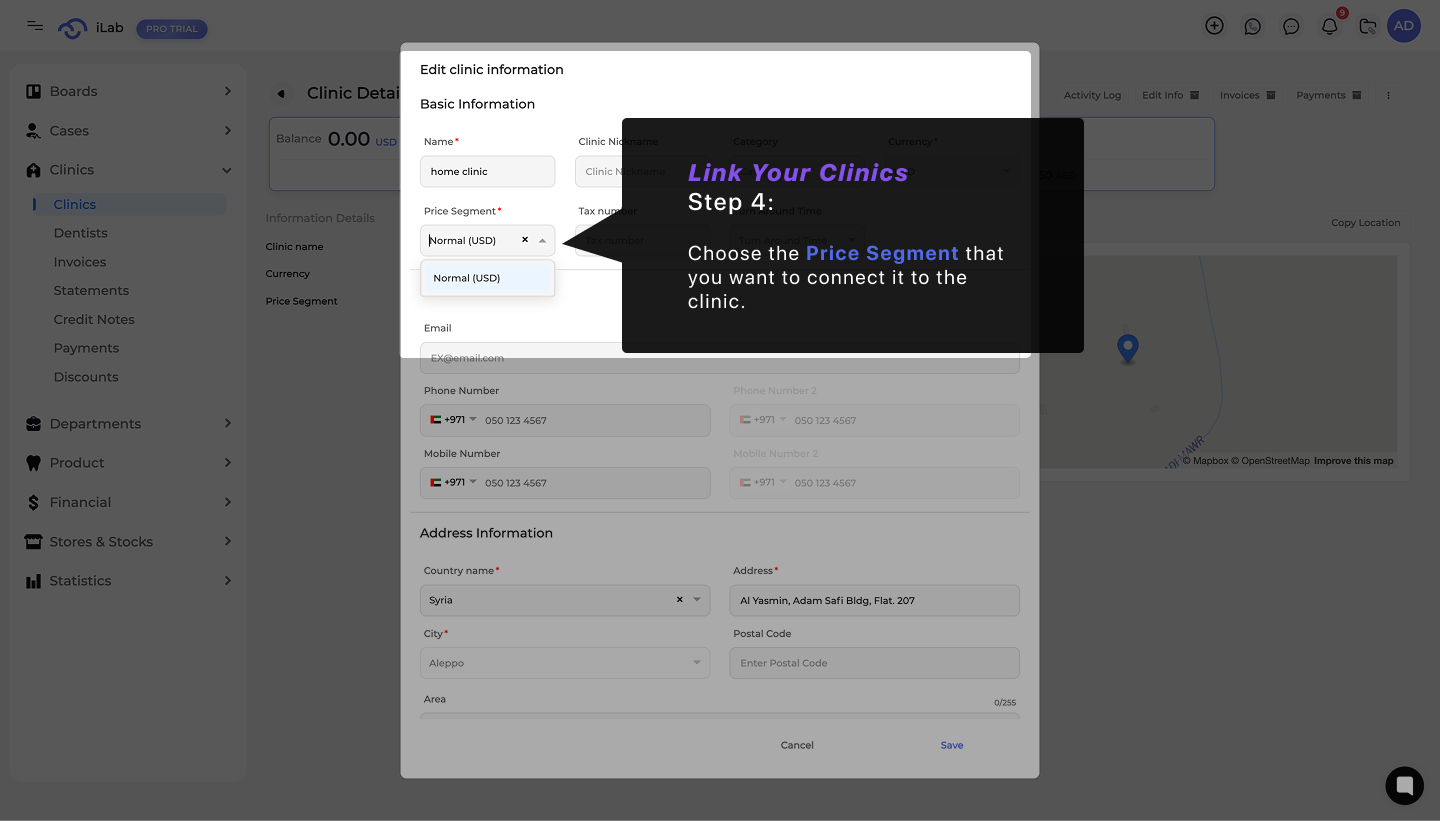
In the Basic Information section, find the Price Segment box.
Pick the group you created and click Save.
Instant Adaptability: React to material price changes immediately.
Zero Math Mistakes: Let the system handle the calculations perfectly.
Clear Organization: Manage different rates for different types of clients without any confusion.